Sasa Paint
A downloadable tool for Windows
Sasa Paint — The Stylish, Ultra-Lightweight Art & Animation Studio
Sasa Paint is a fresh, native digital painting and frame-by-frame animation workspace built from the ground up for desktop artists.
Tired of heavy, bloated creative software that hogs your computer's memory just to sit idle? Sasa Paint runs on an incredibly tiny footprint—using only 200–300MB of RAM—giving you a smooth, distraction-free environment to sketch, color, and build your visual worlds.
🎀 The Design Philosophy: Aesthetic & Lightweight
Sasa Paint looks and feels different because it was designed with a creator's mindset.
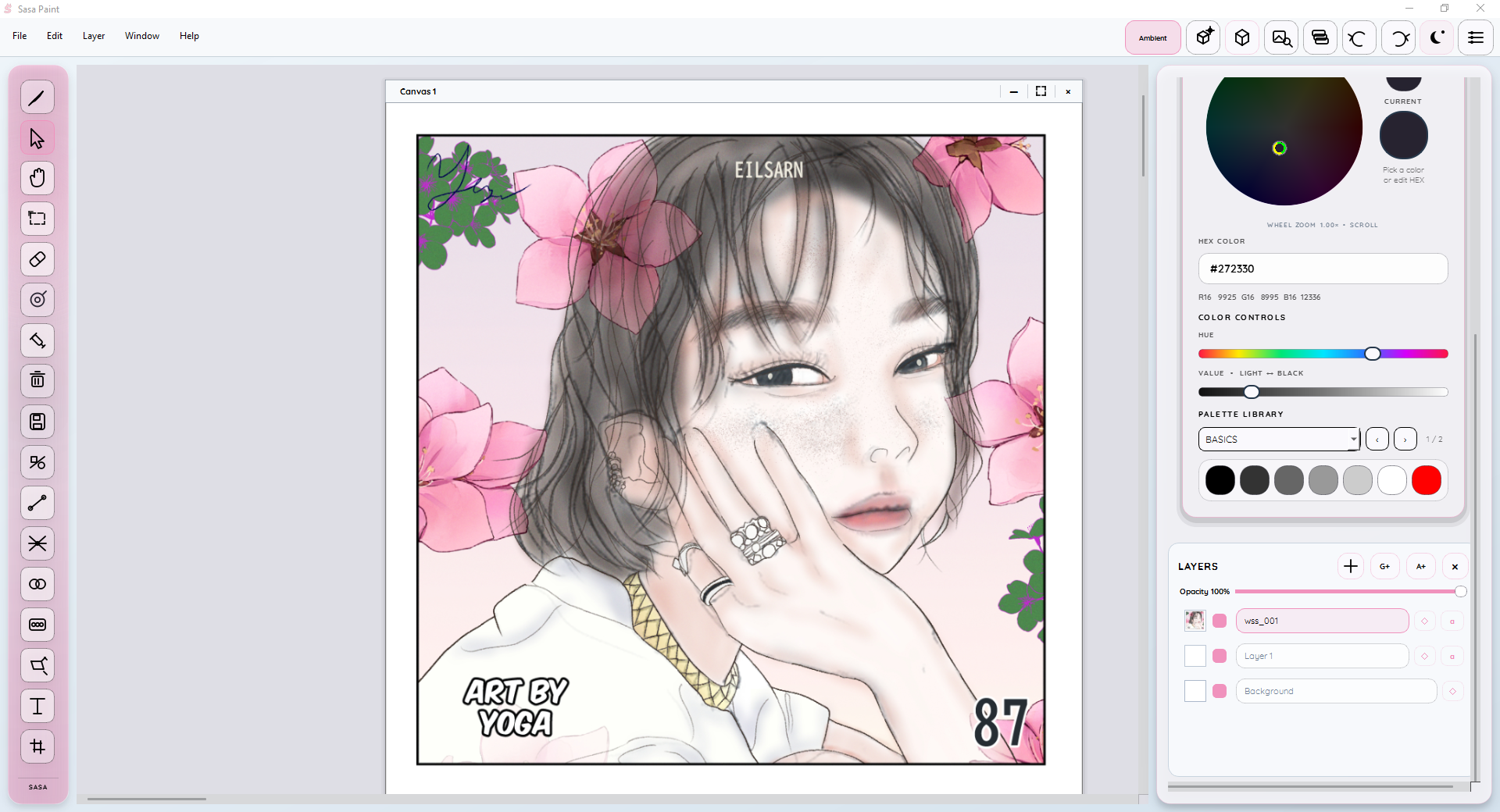
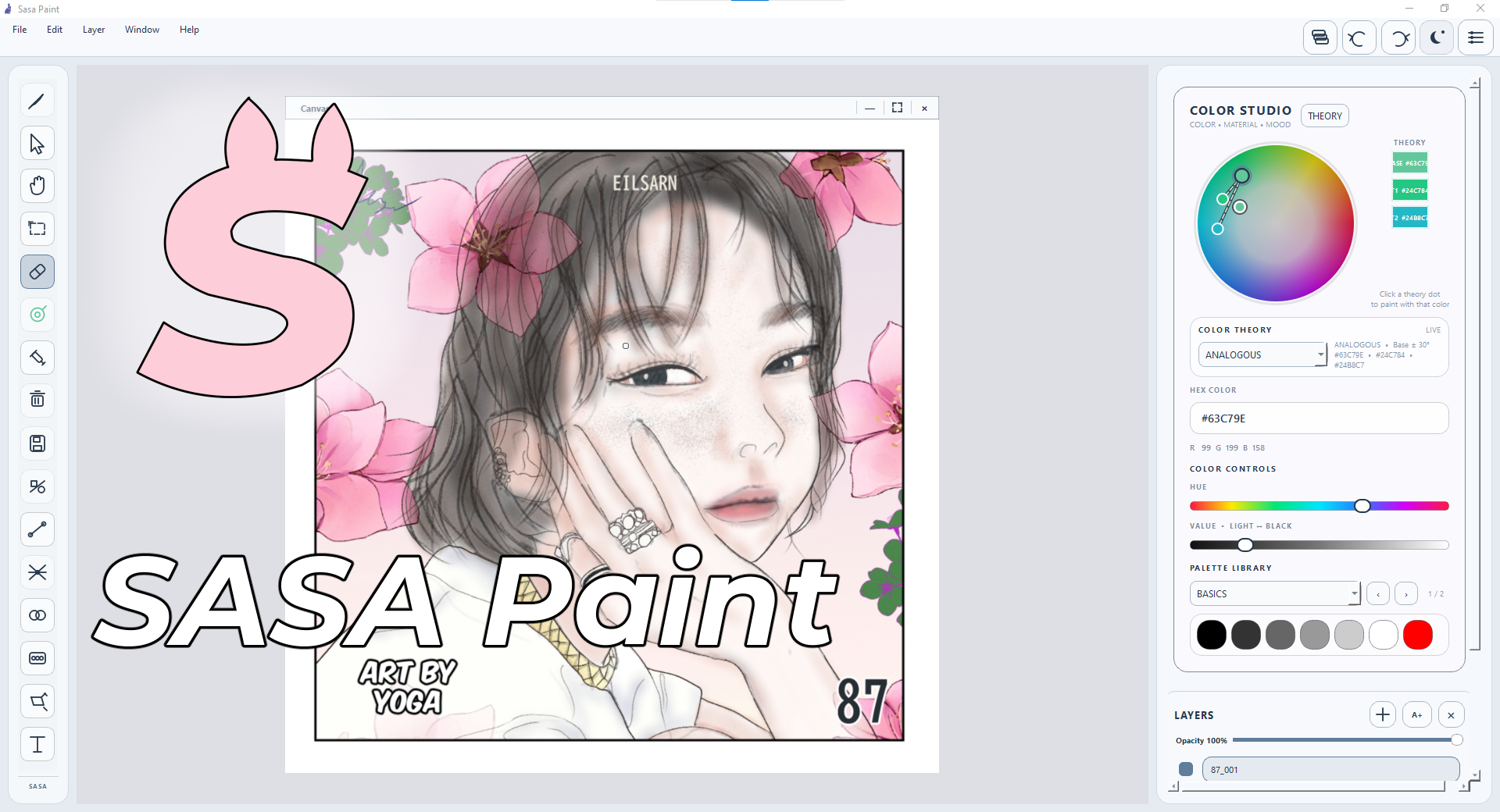
- Iconic Cyberpunk Identity: Banish boring, dark gray corporate boxes. Sasa Paint features a striking, highly pleasing pink, black, and white user interface that feels premium and inspires creativity from the second you open it.
- Stunning Glassmorphism: Enjoy a beautifully fluid workspace layout, featuring modern frosted-glass toolbars with smooth, dynamic liquid graphics running seamlessly underneath.
- Built-in Co-Fi Vibe Player: No need to run heavy external music apps while you work. Sasa Paint features an integrated ambient player that streams copyright-free lo-fi beats straight from your local directory, keeping you entirely in the creative zone
🚀 Standout Creative Features
1. Color Theory Studio & Zoomable Color Wheel
Color is the absolute heart of drawing. Sasa Paint introduces , a protected smart system designed to map dynamic color harmony relationships seamlessly. Paired with a precision, analytically sharp GPU-accelerated Color Wheel, you can zoom deeply into your palette to pick hyper-exact values without messing up your active color harmonies.
2. SALLS: Simplified Animation Layer Line System
Love animation but hate fighting complex video timelines and massive keyframe setups? SALLS lets you manage frame-by-frame vector line tracking, path editing, and asset rotation loops directly on your canvas workspace. Animate keyframes naturally without ever losing your drawing flow. Export targets include clean GIFs, MP4 videos, or sequential image frames.
3. One-Click Vector & Classic Painting Modes
- One-Click Vector Mode: Instantly switch to parametric lines and shapes that never pixelate or blur when you resize, rotate, flip, or scale them.
- Classic Dipping Paint Mode: Turn this fun easter egg on, and your digital pen will slowly run out of paint as you draw! Just like real-world traditional art, you’ll need to dip your brush back into your ink to keep painting.
4. Professional Creative Utilities
- High-Precision 16-Bit Color Canvas: Paint with deep RGBA64 canvas precision. By tracking up to 65,535 color values per channel instead of standard software limits, your gradients remain completely smooth, and layer blending stays pristine without clipping or degradation.
- Infinite Perspective Guides: Set up perfect 1-point and 2-point perspective construction fields with a single click. Guides extend infinitely across your screen, completely independent of your artwork resolution.
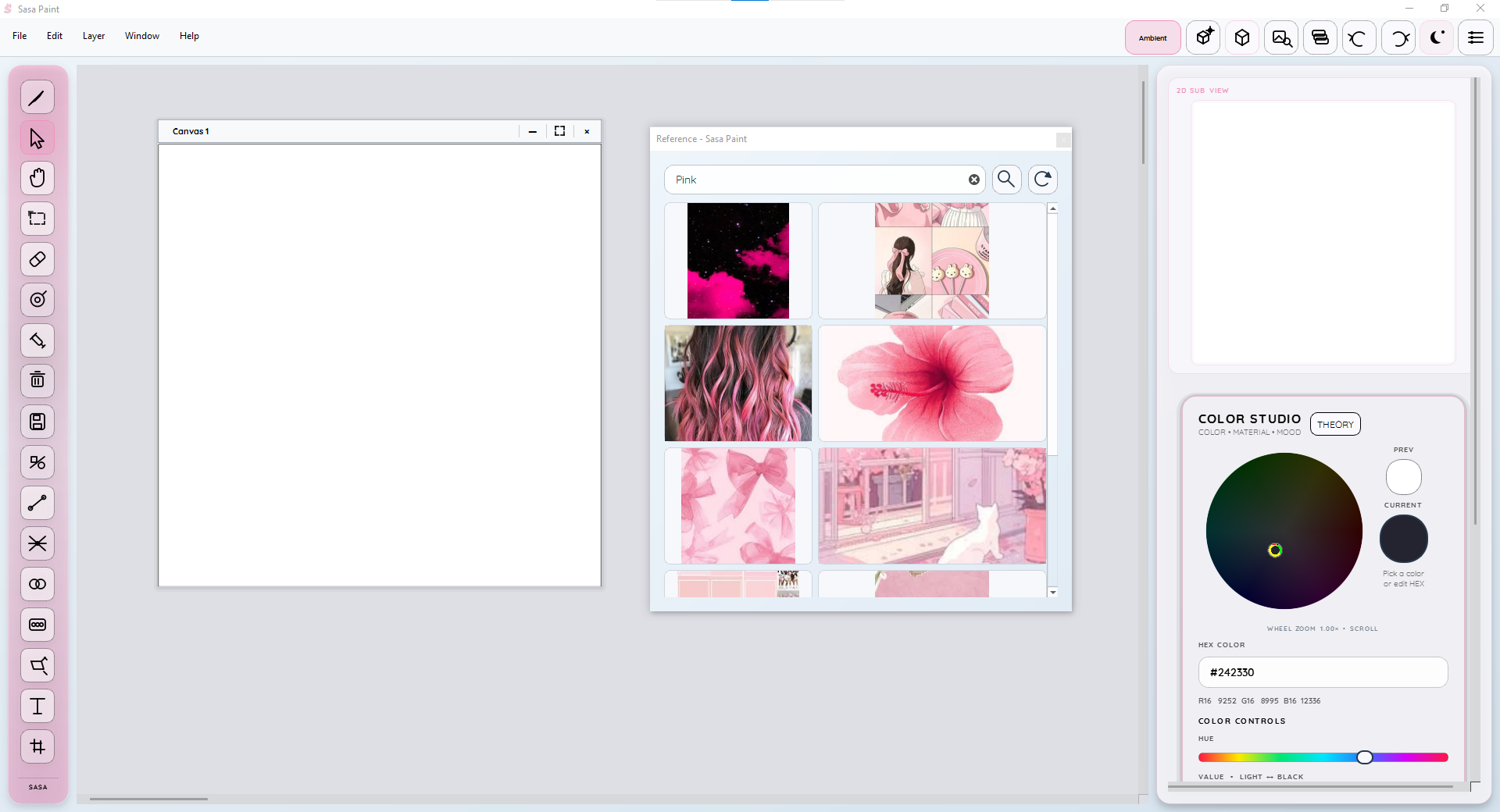
- Integrated Reference Browser: Search your favorite image sources directly inside Sasa Paint. Powered by an in-app browser interface, you can load image collages, preview them fullscreen, and drag-and-drop references directly onto your canvas to create independent reference cards.
- Experimental 3D Canvas & Shading: Place flat drawing layers as cards inside an active 3D viewing space. Test your lighting ideas using built-in light presets (Sun, LED, Softbox) that cast realistic shadows and diffuse falloffs over your artwork contours.
🔄 What’s New in Version 0.2
I have spent the last month redesigning the application to optimize layout speeds and add creative tool expansions:
- Massive Brush Arsenal: Upgraded from a few basic brushes to a full technical list including G Pen, Calligraphy, Ball Point, Drawing Pen, Charcoal, Mechanical Pencil, Graphite, Chalk, and Noise Airbrush.
- Advanced Layer Control: Added layer clipping, layer grouping folders, and absolute layer locking.
- Typography Engine Overhaul: Create fully editable Text Layers with native font imports (
TTF,OTF), multilingual options, vertical text alignment, and animation timeline support. - Hidden Developer Easter Egg (🗿): Need a quick coding stress-test break? Try frantically clicking the left toolbar. If you hit it enough times, you'll open a secret window matrix tracking cascading Moai stone emojis, culminating in a funny forced web browser search for the Easter Island giants!
🛡️ Trust, Safety & Installation Guide
Sasa Paint is an independent developer prototype. To ensure your total peace of mind, the compiled files have been run through an independent cryptographic scan via VirusTotal, showing 0/70 zero detections across all global security networks.
👉 View Live Verified VirusTotal Scan Report
How to Install:
- Download the zipped package folder from our Itch.io page.
- Extract the file contents completely onto your drive.
- Double-click
SasaPaint.exe. - Note: Because this is an unsigned indie prototype, Windows SmartScreen will display an "Unknown Publisher" warning. Simply click More Info and then select Run Anyway to safely open your stylish studio!
💼 The Lifetime Supporter Model — Only $1
I have set the early-access download price to just $1 USD. I do not care about making a profit right now. Every single dollar goes directly toward helping fund a modern, high-powered desktop workstation so I can finish optimizing the live stroke rendering loops and eliminate drawing lag for older computer setups.
As a massive thank you for believing in the project early, anyone who backs Sasa Paint for $1 right now is guaranteed a permanent, lifetime license for version 1.0 and all future commercial releases.
Purchase
In order to download this tool you must purchase it at or above the minimum price of $1 USD. You will get access to the following files:
Leave a comment
Log in with itch.io to leave a comment.